 AKA
AKA Features
The full tour
One window with everything in reach: terminal, settings, map, gauges and chat, all dockable, all yours. Here's what AKAMud actually does, band by band.

Characters & worlds
All your characters in one place
A world is a game: a name plus an address. A character belongs to a world, and you can have as many as you like, each with a custom tag and colour if you wish.
- Run several characters side by side, each in its own window with its own layout.
- Share one settings set across characters (fix a trigger once for everyone), or keep settings per character. Each character can still add private overrides on top.
- Per-character maps: a character can carry its own map, or several characters can use one shared map.
- Auto-connect for your main, Open offline when you want to import or edit settings first.
AKAMud comes pre-set up for Akanbar, and works with any telnet MUD.

The automapper
A map that walks with you
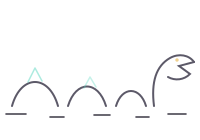
The map follows you as you walk, and in Mapping mode it draws new rooms as you explore. Double-click any room and AKAMud speedwalks you there by the shortest route; #walk inn does the same from the command bar, so aliases and triggers can travel too. Name your favourite rooms, colour-code shops and trainers, and search everything with Find.


Room scripts
A room can run commands when you arrive: buy bread the moment a speedwalk reaches the bakery. On every entry, or only when walking there.
Exit commands
Store unlock door e;e;lock door w on the exit itself, and every normal move through it (typed, keypad, or speedwalk) handles the door for you.
Edit by hand
Drag rooms into place; links follow. Drop a duplicate onto the original to merge them, delete any room, and undo the last mapped room with one button.
.mdb import
AKAMud reads zMUD/cMUD map databases natively: rooms, colours, door commands and room scripts included. No Office, Access, or drivers needed.
Triggers & automation
Set it up once, let it run
Aliases, triggers, variables, timers, keys and macros: everything takes effect live, so a new trigger works on the very next line from the game. Write any item in AKAMud's classic TinTin++ / zMUD / cMUD style scripting, or in Lua 5.4. Your choice, per item.
One line routes every tell into its own tab and plays a sound:
#trigger {tells you,} {#cap Tells;#play tell.wav}Group settings into classes and flip whole feature sets on and off with a checkbox, or #t+ / #t- from a script.
Buttons, gauges & status bars
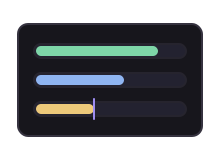
Clickable button bars, live health and mana gauges that track your variables (with a low-threshold colour), and status lines that re-evaluate continuously.
Chat capture windows
Up to 7 capture tabs, or separate dockable windows, fed by #cap in any trigger. Lines keep their original colours, and nothing scrolls away mid-fight.
Sounds & spell check
#play handles .wav, .mp3 and .ogg, and sounds can overlap. The spell checker knows you're playing a MUD: it never flags your commands, variables or target ids.
Moving over
Bring your zMUD life across
Years of settings shouldn't chain you to an old client. AKAMud imports a zMUD text export or a cMUD XML export (aliases, triggers, variables, buttons, keys and classes) and offers to merge, replace, or add everything as a new class to review, with a backup taken first. It works out which kind of file you picked by looking inside it, so the name doesn't matter.
- Class on/off states come across with the settings when your export records them, so a class you had switched off stays off. If it doesn't, AKAMud offers to read just those flags from your original binary
.mudfile. - Maps come across whole from the
.mdb, room scripts and door commands included. - Re-importing is safe: your AKAMud-only arrangements, like where a gauge sits, survive every import.
Send to phone
Your character, on your phone
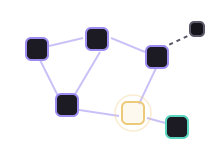
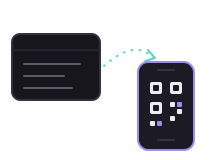
Send to phone copies a character (settings and map) to the Aka:Mud phone app by scanning a QR code, straight over your own Wi-Fi. The transfer is encrypted (AES-256-GCM) and the key travels only inside the QR code, never over the network. No cloud, no account, no cable. And everything shuts down the moment you close the window.
See the scripting side next
Two languages, one client: classic one-liners or real Lua, mixed freely.